SCORM ACCESSIBILITY CHECKER
Check a SCORM course against WCAG 2.1 AA
Upload the published zip and get a list of accessibility findings mapped to WCAG success criteria: missing alt text, videos without captions, low contrast, skipped headings, untitled frames and more. Accept the fixes you want and download a remediated package.
Short answer: create an accessibility project, upload the SCORM 1.2, SCORM 2004 or xAPI zip, and run the scan. Every finding shows the file, the element and the WCAG criterion. AI suggests alt text and generates WebVTT captions, you accept or edit each fix, and you download the fixed zip plus an evidence report. The base WCAG 2.1 AA scan and the browser preview are free; downloading the fixed zip and the report needs a paid plan.
What the checker looks for
Automated checks run on the HTML, CSS and course data in the zip. Some WCAG criteria, like meaningful sequence or plain language, still need a person, and the report marks those as manual.
| WCAG | Check | Fix offered | Plan |
|---|---|---|---|
| 1.1.1 | Images with missing, empty or filename-like alt text | AI-suggested alt text you can edit | All plans |
| 1.2.2 | Videos without a caption track or caption file | Generated WebVTT captions | All plans |
| 1.3.1 | Frames without a title, data tables without header cells | Frame title | All plans |
| 1.3.2 | Skipped heading levels | Corrected heading level | All plans |
| 1.4.3 | Text colour contrast in inline styles and CSS | Suggested compliant colour | All plans |
| 2.4.3 | Positive tabindex that breaks focus order | Reported for review | All plans |
| 3.1.1 | Missing page language | lang attribute | All plans |
| 2.1.1 / 2.1.2 | Keyboard access, key traps and dialogs without focus handling | Focus and tabindex fixes | Growth |
| 2.4.3 | Storyline reading and focus order | Reading-order rewrite | Growth |
| 4.1.2 | Roles without an accessible name, focusable aria-hidden elements | ARIA fixes | Growth |
| 1.2.5 | Video without audio description | Audio description track | Growth |
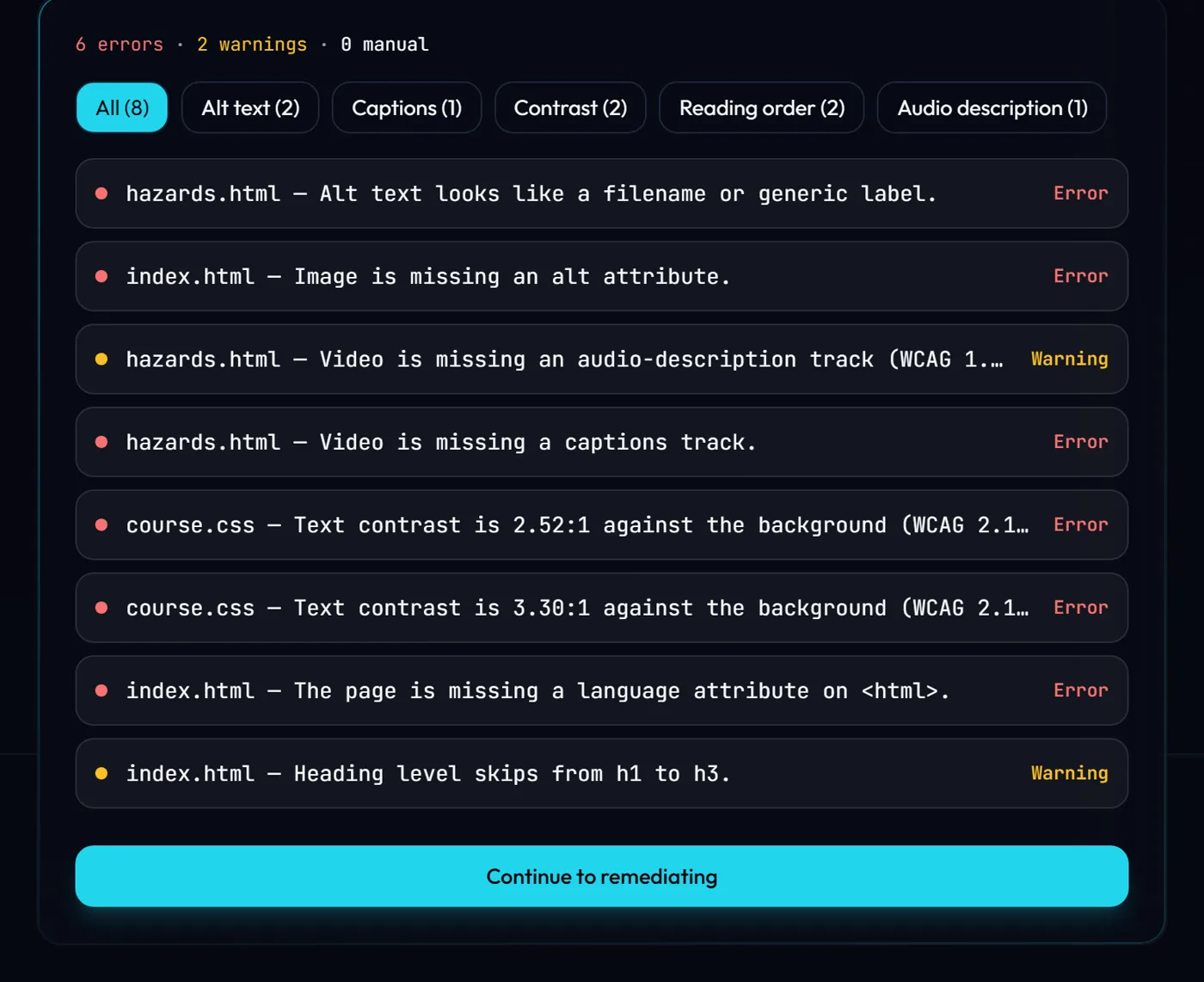
From scan to fixed package
- Upload the zip your authoring tool exported. No source file needed.
- Run the scan. Findings are grouped by severity and WCAG criterion, with the file and element.
- Review suggested fixes: AI alt text, generated captions, heading levels, frame titles, contrast colours.
- Accept or edit each fix. Nothing changes until you accept it.
- Download the remediated zip and the HTML evidence report. Preview the course in the browser first if you like.
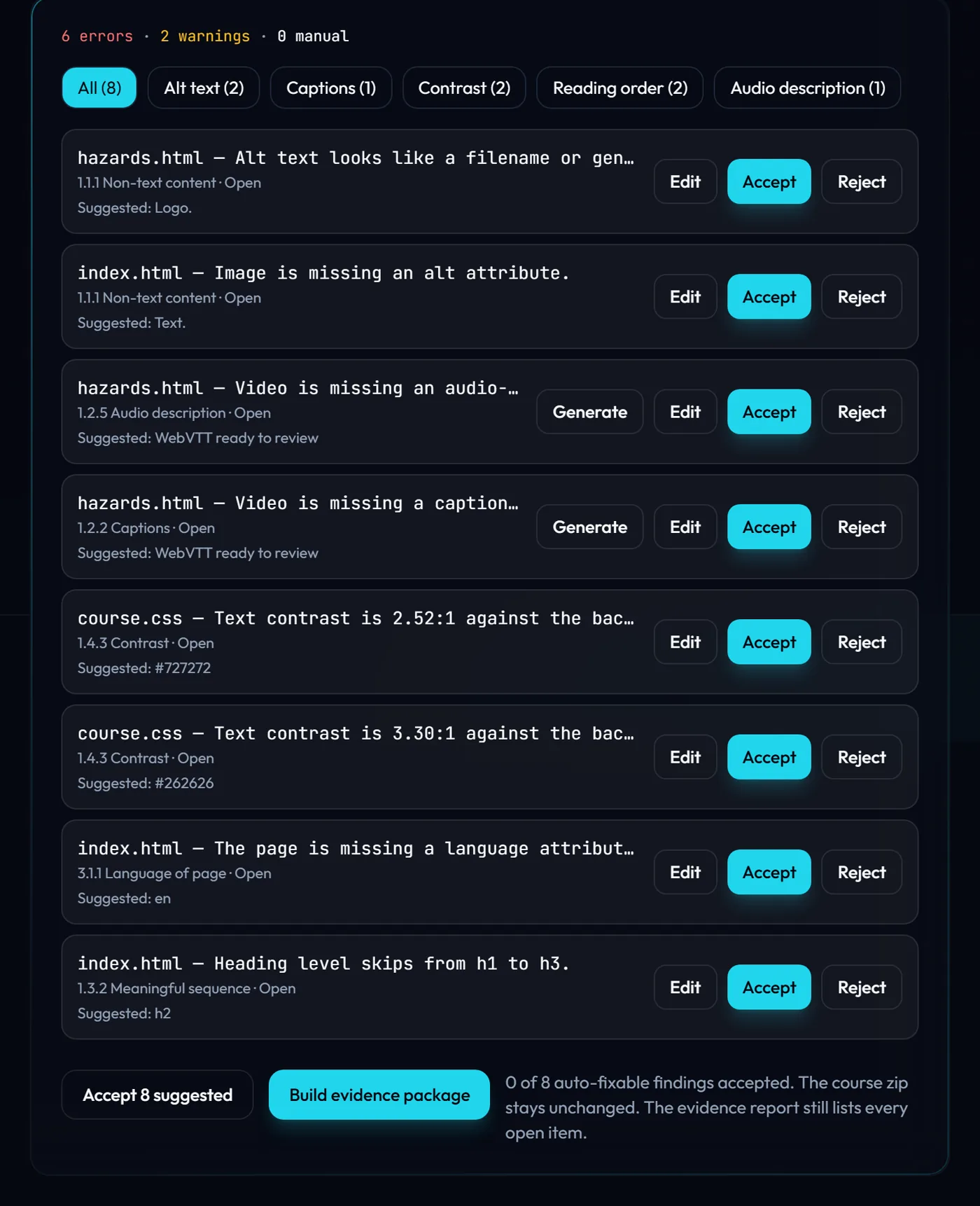
The evidence report
Download an HTML report with the project, standard, a summary of errors, warnings and manual checks, and a table of every finding with its criterion, location, status and whether a fix was applied. A copy (HTML and JSON) is bundled inside the remediated zip. The report documents your work. It is not a VPAT and does not certify legal compliance. Growth plans can also generate a VPAT-style draft to start from.
Buying for a US federal agency? See Section 508 remediation for SCORM and the Section 508 checklist for SCORM courses.
Frequently asked questions
Is there a free SCORM accessibility checker?
Which SCORM packages can be checked?
Does an automated scan make a course WCAG compliant?
Does the checker change my course automatically?
What is the difference between WCAG 2.1 AA and Section 508?
Guides: How to remediate a SCORM zip for WCAG · How to test SCORM courses in Moodle