SCORM TRANSLATION TOOL
AI SCORM translation with human review
Upload the SCORM or xAPI zip you already published. SCORM Packager extracts the course text, machine-translates it, lets your reviewers fix every string, and rebuilds a translated package your LMS imports like the original. No authoring source file, no rebuild.
What gets translated
- Course text in HTML pages, including headings, body text, buttons, alt text, quiz questions, answers and feedback.
- Articulate Storyline slide text and player labels such as Next, Back and Continue. Storyline workflow
- Articulate Rise 360 lesson text, quiz content and interface labels stored in the course data. Rise workflow
- Audio narration: transcribed, translated and re-voiced with a neural voice.
- Video voiceover: the spoken track is replaced with a translated voiceover.
- Text inside images: read with OCR and re-rendered in the target language, or replaced with your own localized image.
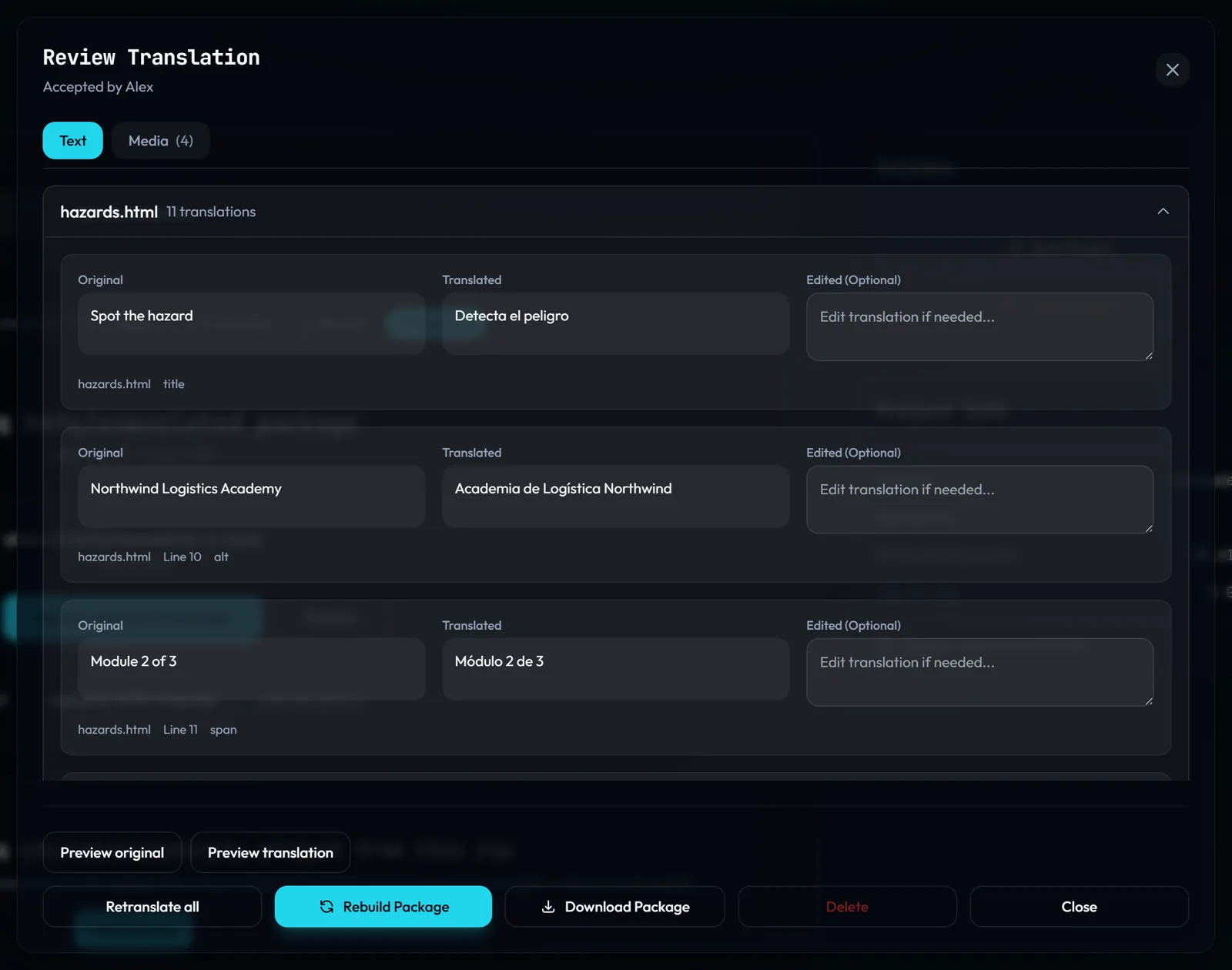
How SCORM translation works
- Create a translation project and upload the published zip (SCORM 1.2, SCORM 2004 or xAPI).
- Pick a target language. Text is machine-translated with Azure Translator, with your project glossary applied so product names and fixed terms come out the way you want them.
- Review every string side by side with the source, edit what needs fixing, and handle audio, video and images from the media list.
- Preview the translated course in the browser, then accept it and download a zip in the same SCORM version as the original.
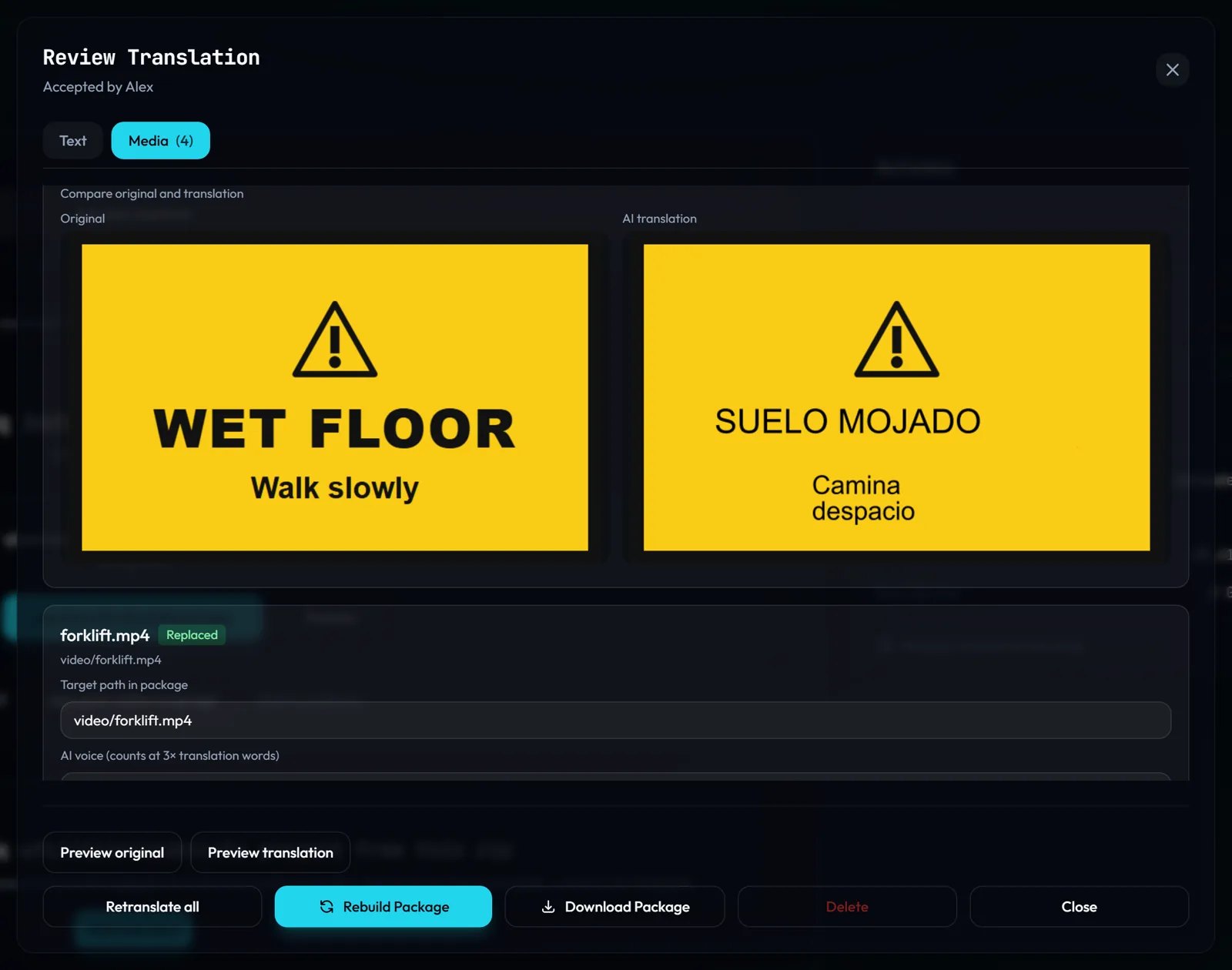
Machine translation vs. localization
Raw machine translation is a draft. Course localization means a person who knows the subject and the audience has checked the result: terminology, tone, quiz logic, and the words learners hear. SCORM Packager is built for that second step. The AI does the volume work, the review screen keeps a human in charge of what ships, and the glossary keeps terminology consistent across courses. Read why AI translation of e-learning fails without review.
Specifications
- Input
- Published SCORM 1.2, SCORM 2004 or xAPI (Tin Can) zip
- Authoring tools
- Articulate Storyline, Articulate Rise 360, and HTML-based SCORM packages
- Languages
- Every target language Azure Translator supports (more than 100)
- Output
- A translated zip in the same format as the upload
- Media
- Audio up to 100 MB, video up to 500 MB, images up to 15 MB (SVG 5 MB) per file
- Word metering
- Text 1×, images 2×, audio and video 3× against the monthly word allowance
- Free tier
- 500 words per month plus a one-time 10,000-word allowance for new accounts, 200 MB uploads, no credit card. Translate and preview free; download on any paid plan.
Already have every language?
If each language is a finished zip, you don't need translation. Merge them into one multilingual SCORM package with a language launcher. To fix accessibility issues in the translated course, run the SCORM accessibility checker.
Frequently asked questions
Can I translate a SCORM course without the authoring source file?
Is this an AI SCORM translator or a localization tool?
Which SCORM versions can I translate?
Does it translate narration and video?
Is the course title in the LMS translated too?
How much does SCORM translation cost?
Guides: How to translate a SCORM course without rebuilding · What SCORM translation costs · Edit a SCORM package without source files
Translate your first SCORM course free
Upload a published zip and review every string. Translate and preview a full course free (up to 10,000 words). Download the LMS-ready package on any paid plan. The free tier needs no credit card.
Free to try and preview · Download on any paid plan · No credit card required